
SMILE Lite
Unify analysis, sampling, and modeling into one workbench to accelerate HVM decisions.
The Challenge
- BI, sampling, and modeling live in separate tools — the analysis flow gets fragmented.
- The trade-off between measurement throughput and model accuracy depends on manual judgment.
Our Approach
- Semiconductor-native visualizations and selection chains close the analysis loop on one screen.
- Four-step sampling — Layout → Key → Optimization → Wafer Map — automated end to end.
- Inter-field · Intra-field · CPE decomposition lets engineers assemble overlay recipes directly.
AS-IS
Fragmented tools
Manual sampling
Single-stage models
Limited feedback
SMILE Lite
BI
- Semiconductor-native visualizations
- Chart-chain analysis
Sampling
- 4-step auto optimization
- Reflected to metrology recipes
Modeling
- Inter · Intra · CPE decomposition
- Recipe + Simulation
- Faster analysis cycles
- Reduced metrology time
- Improved overlay correction precision
- Pre-HVM simulation
TO-BE
Unified analysis workbench
Optimized metrology sampling
Multi-stage correction model
Equipment Feedback · HVM Deployment
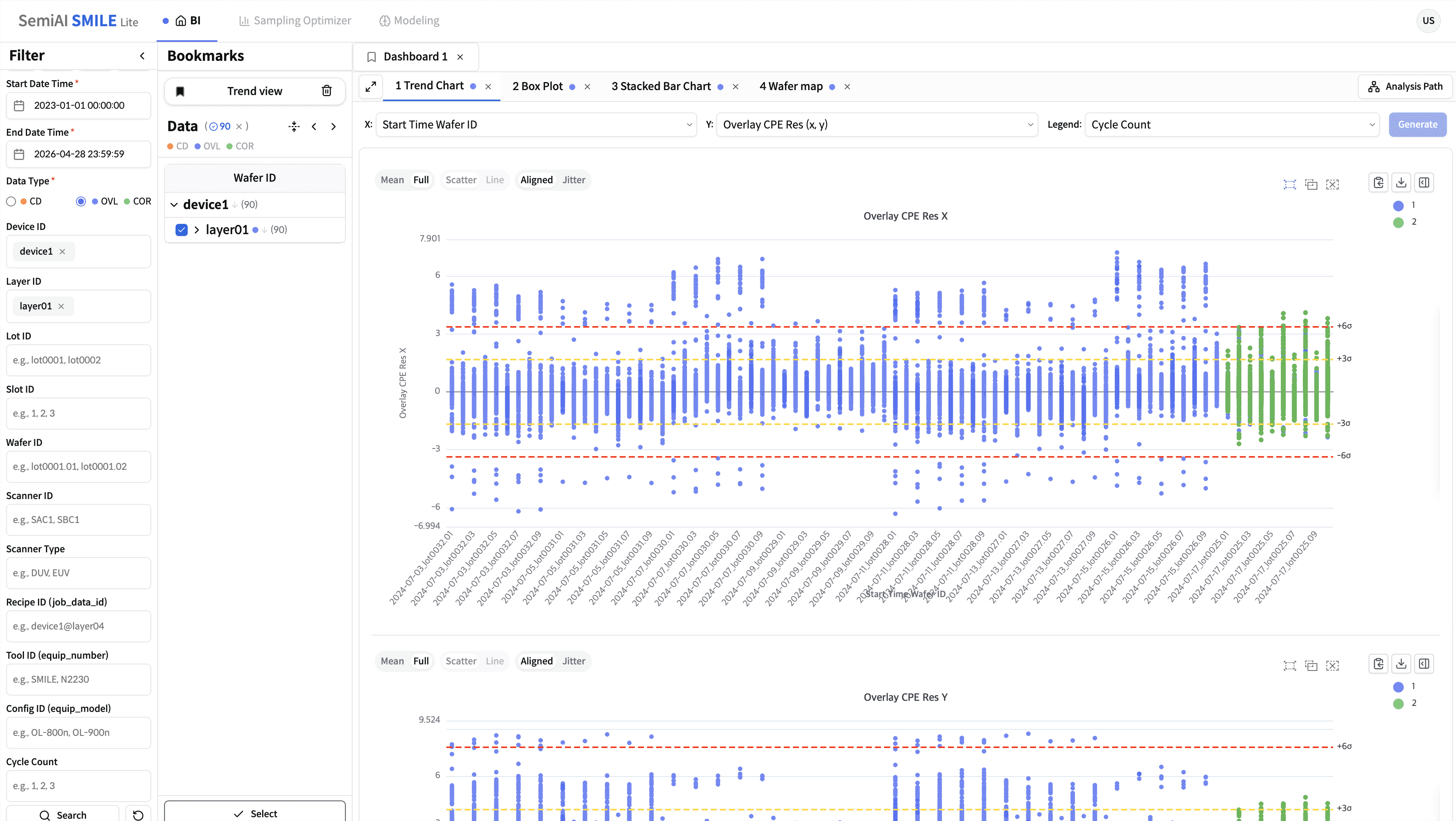
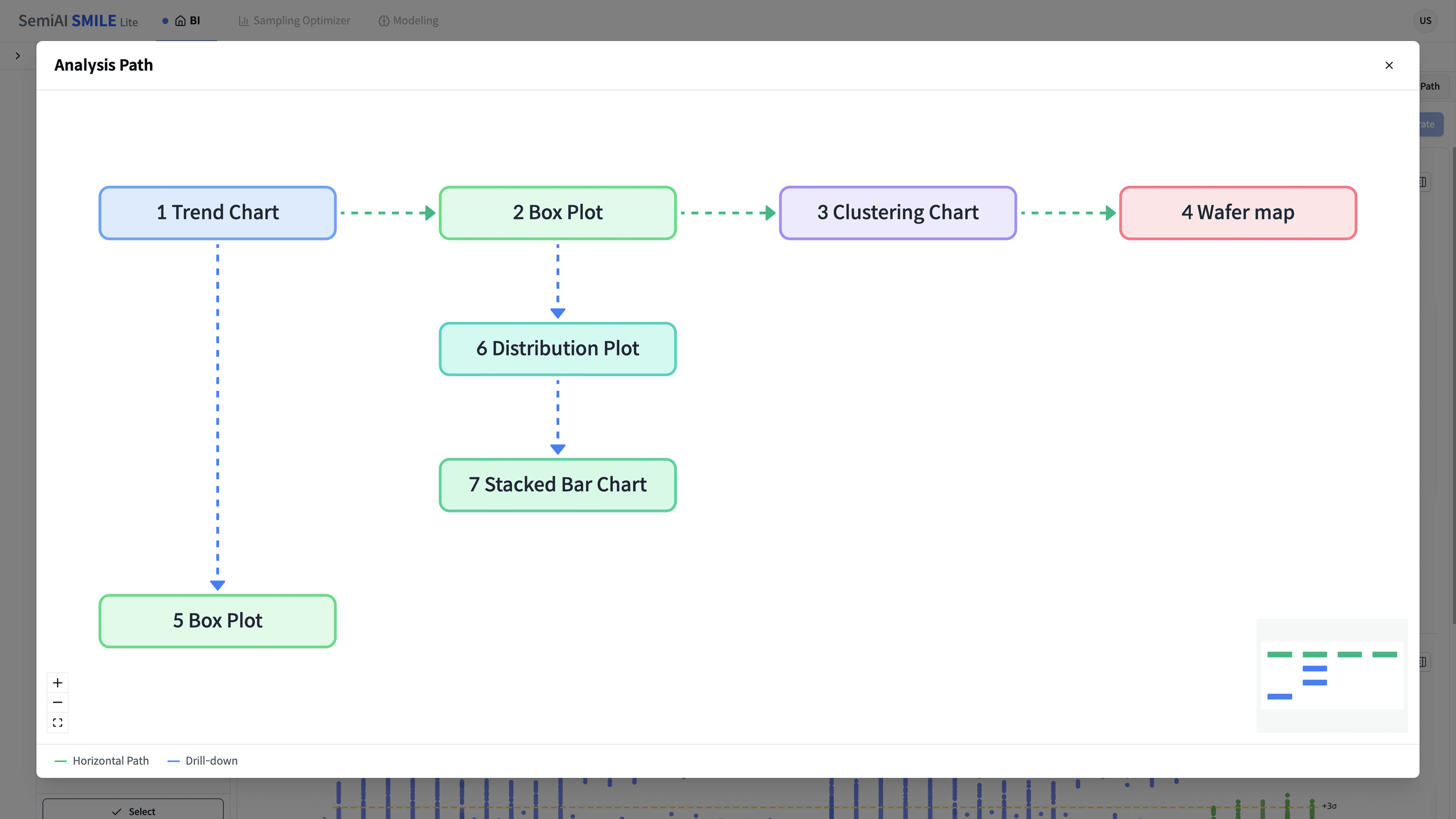
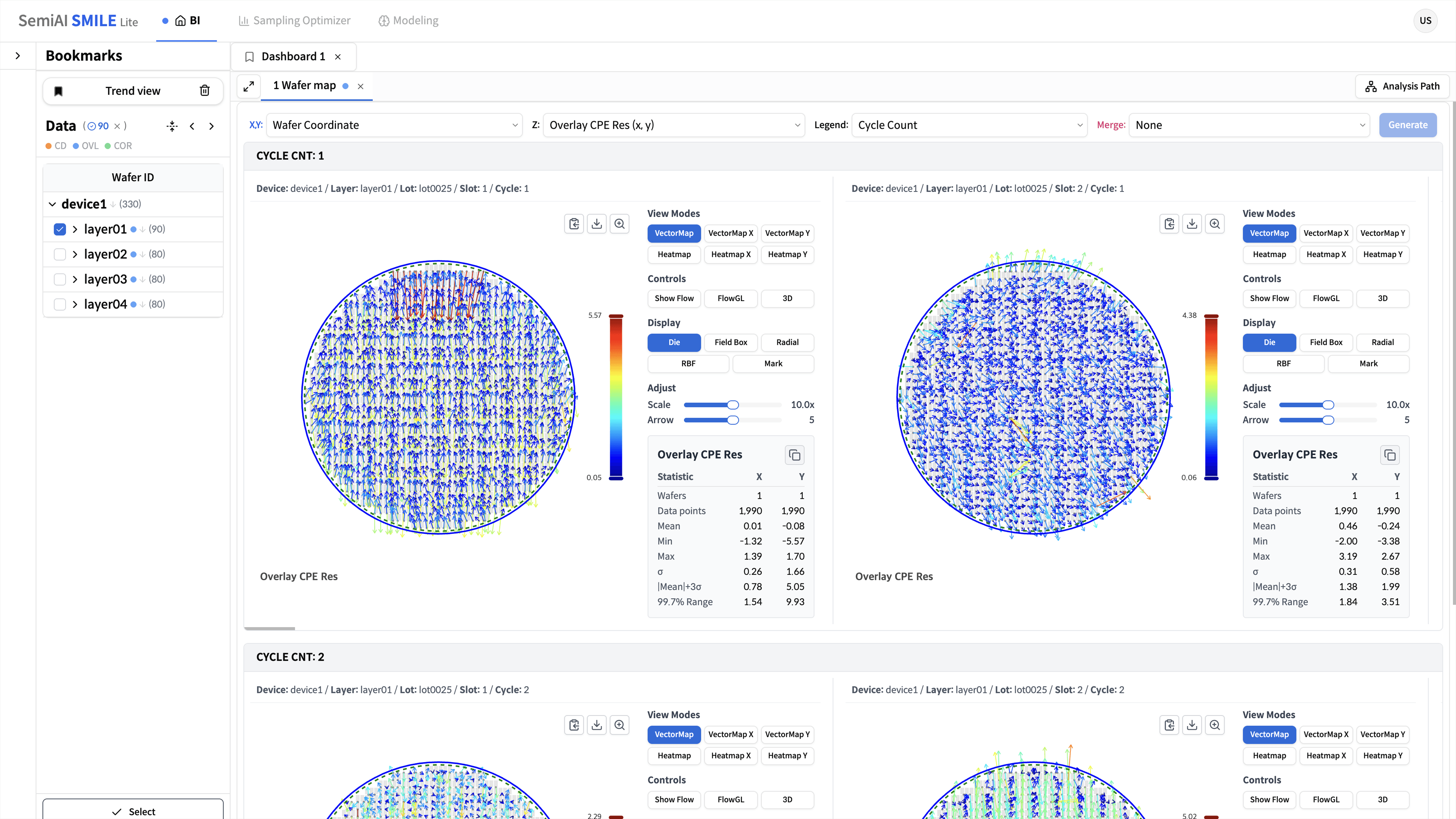
BI Dashboard — Analysis closed in one view
- Compose 11 semiconductor-domain charts — Trend · Box Plot · Wafer / Vector Map · Linear Regression — on a single dashboard
- Brush · Ctrl+Click · Union selections feed forward as the input of the next chart (selection chain)
- Bookmark data selection · chart layout · time range together, and visualize the analysis flow as a Flow Graph
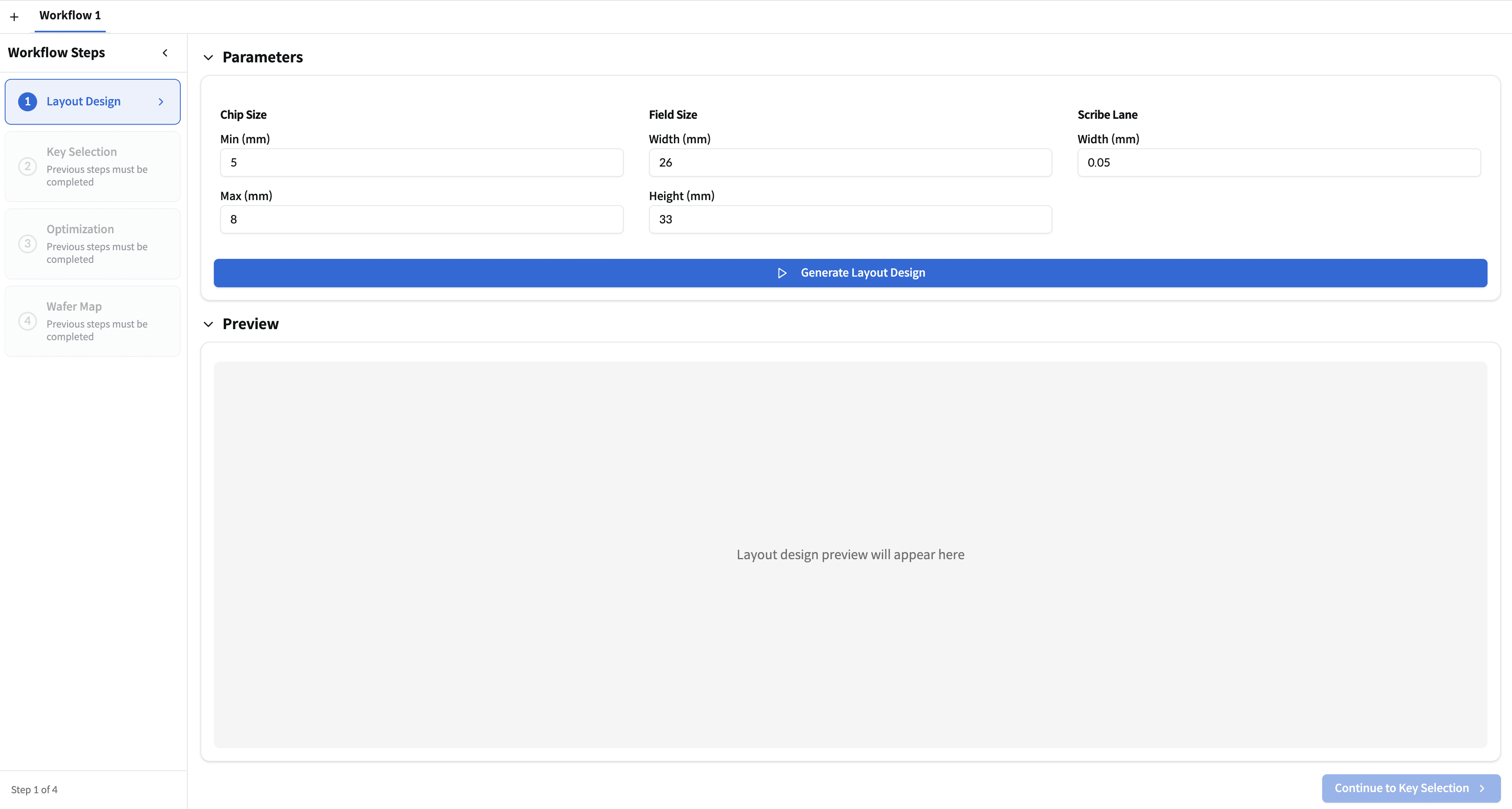
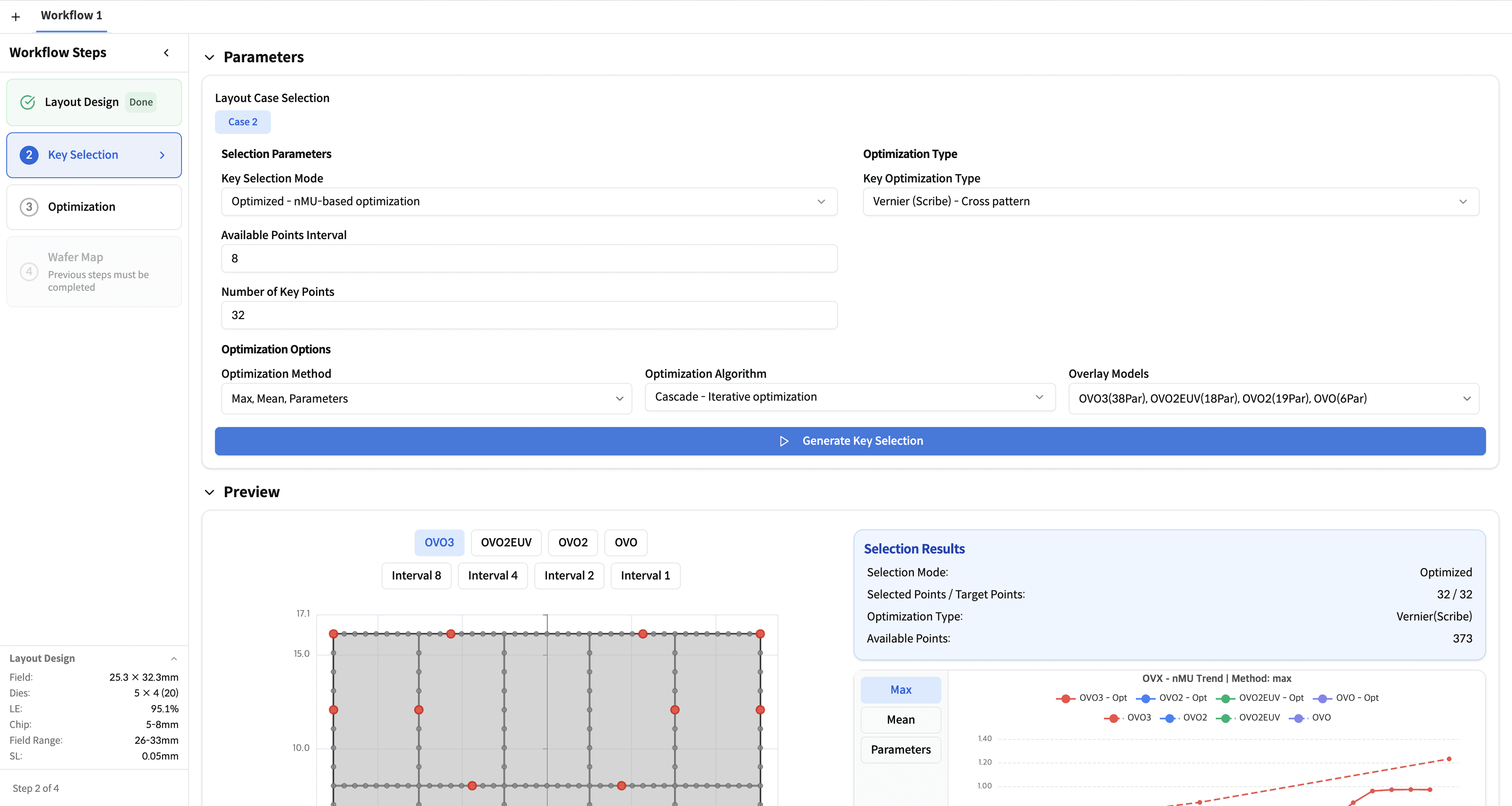
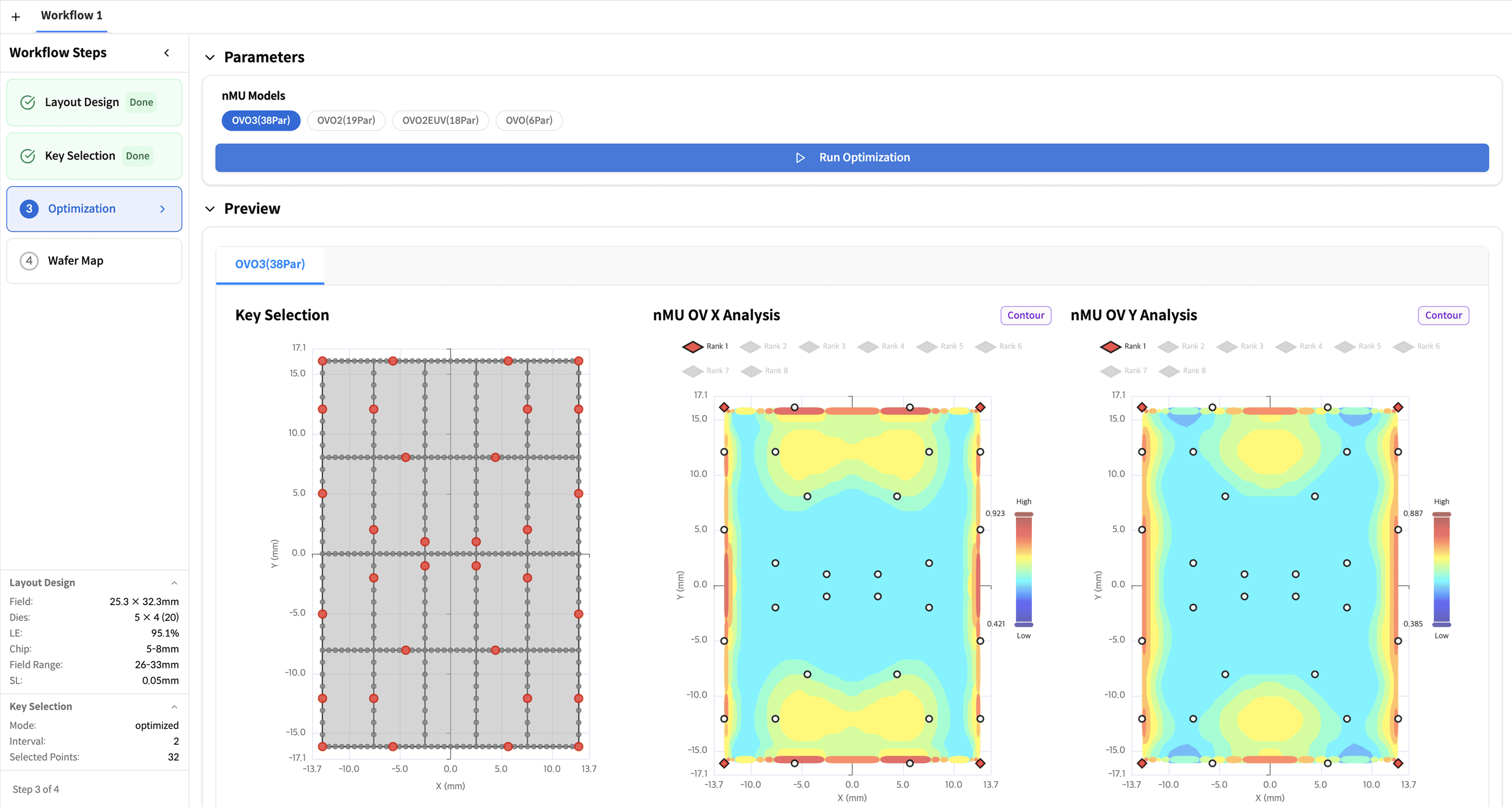
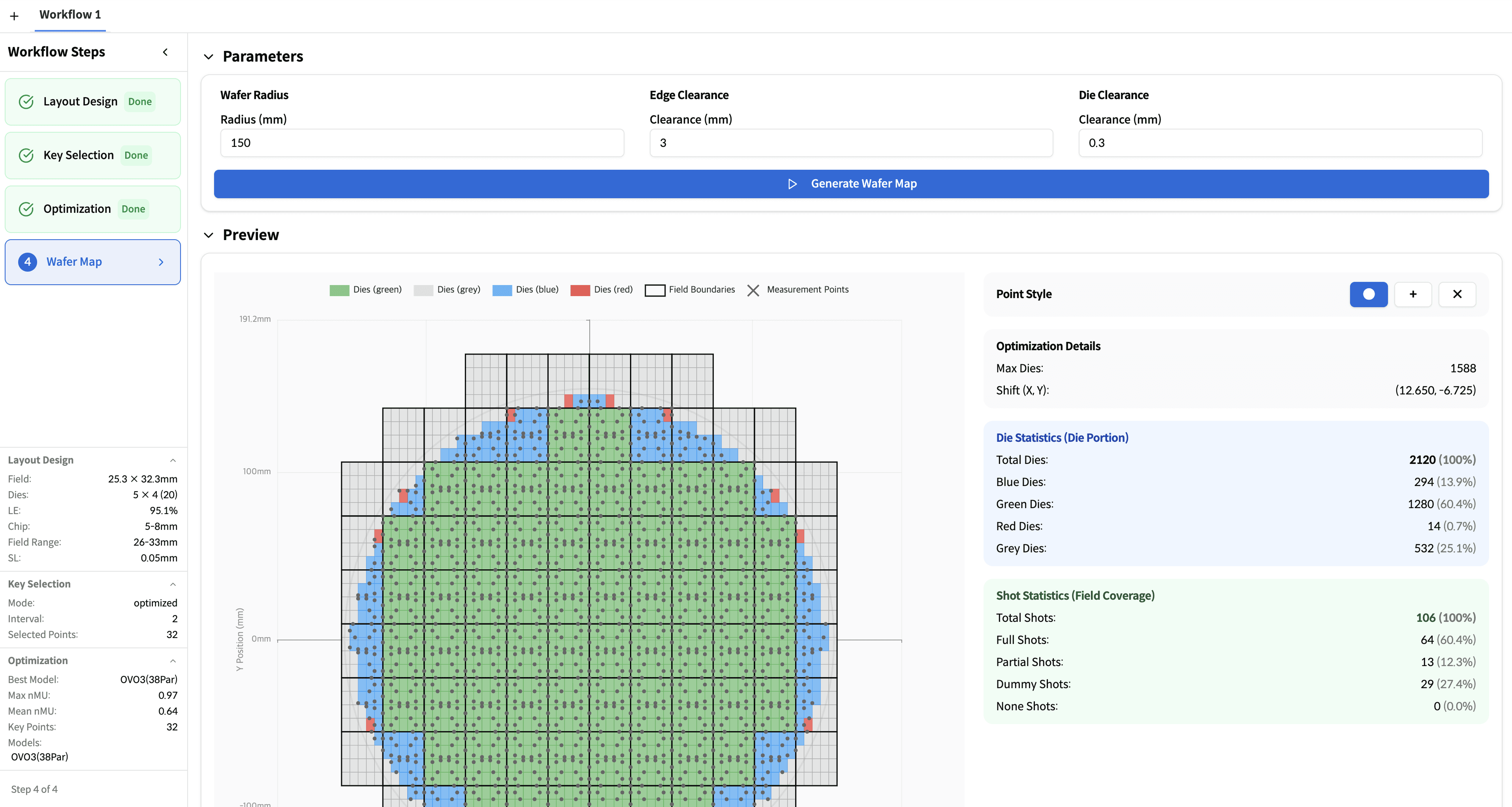
Sampling Optimizer — Balance throughput and accuracy automatically
- Run Layout Design → Key Selection → Optimization → Wafer Map sequentially inside one Workflow container
- Cascade and random algorithms across OVO · OVO2 · OVO2EUV · OVO3 surface the optimal measurement set
- The resulting sample set drops straight into the metrology recipe for HVM deployment
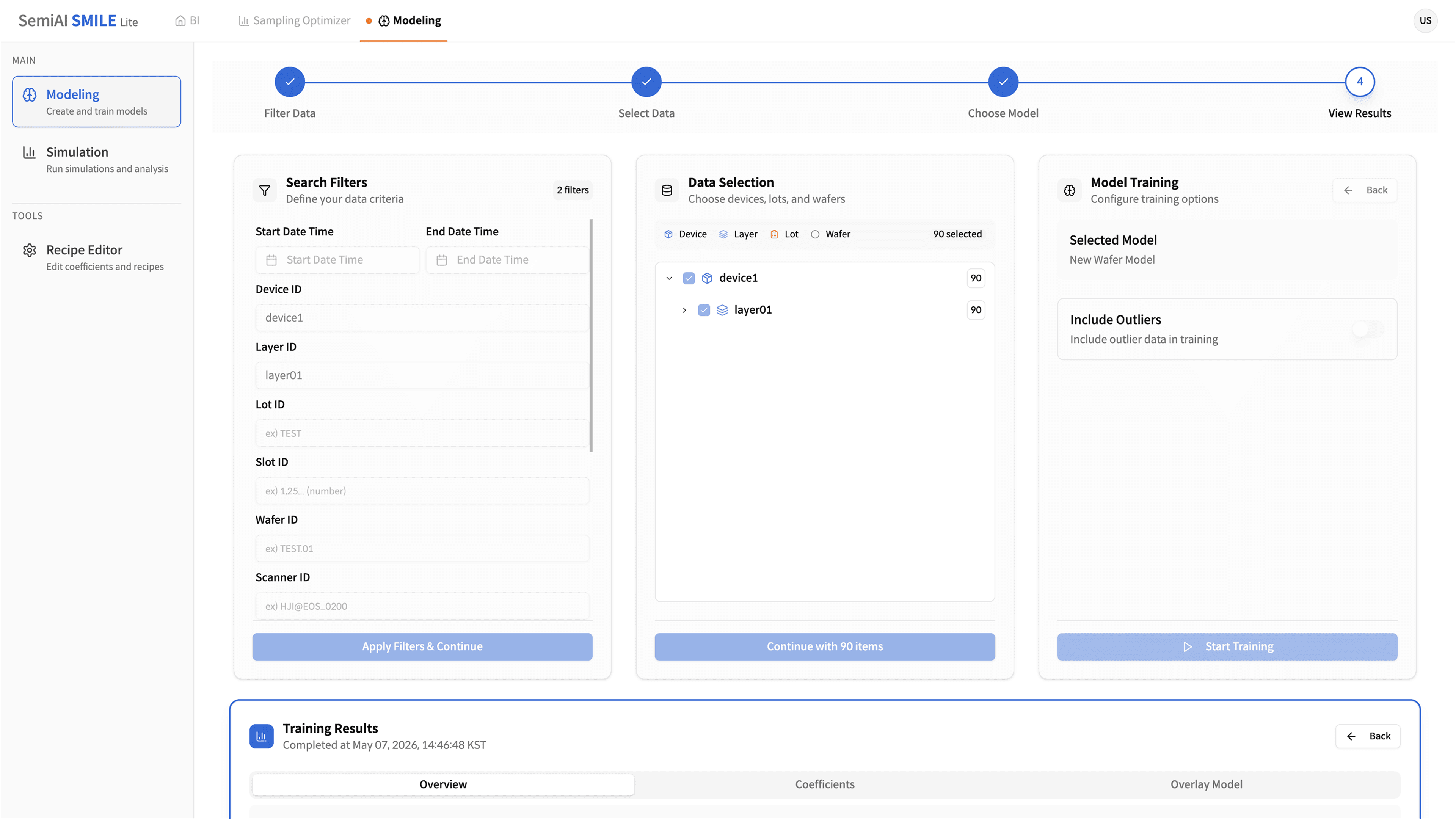
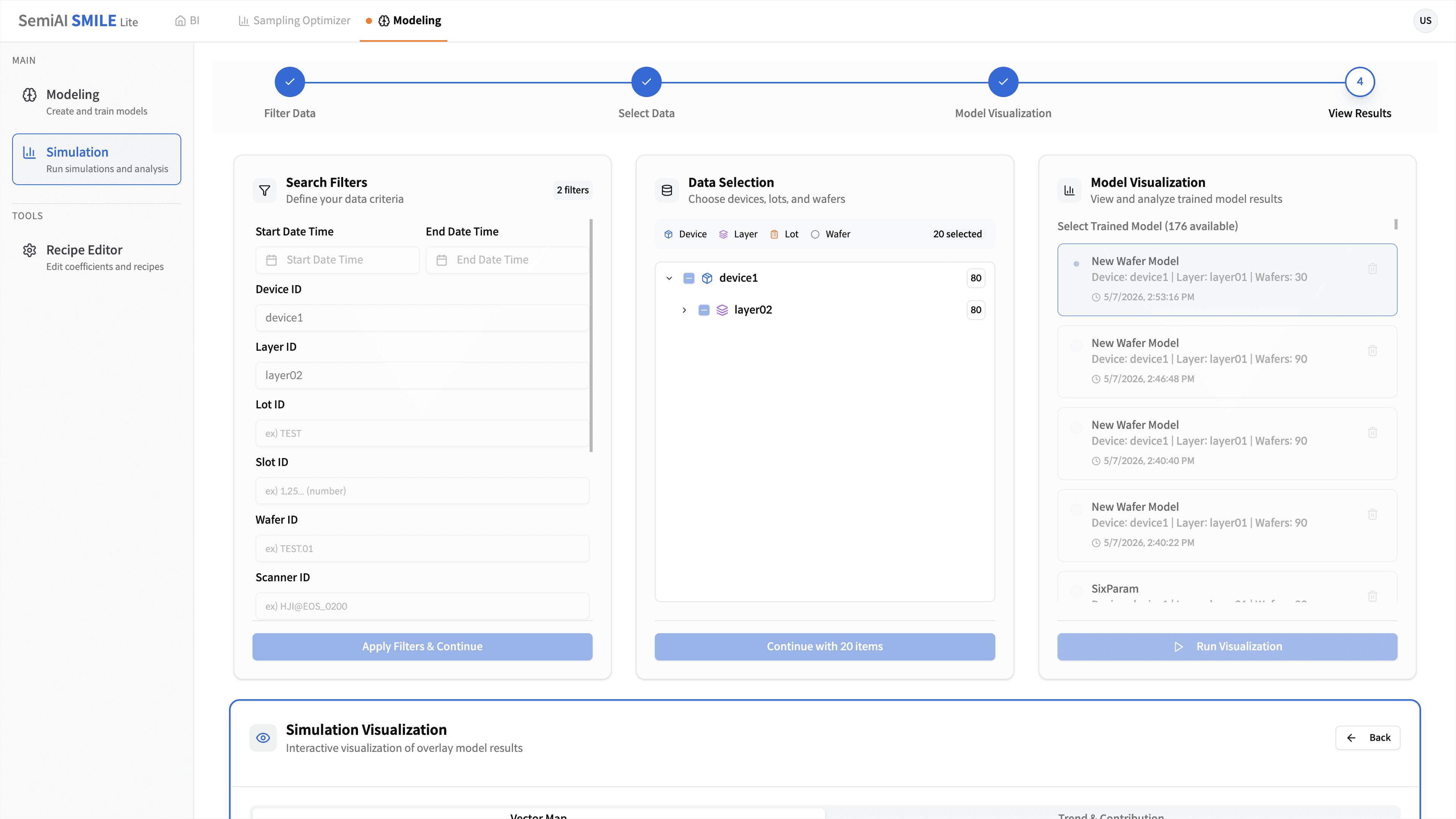
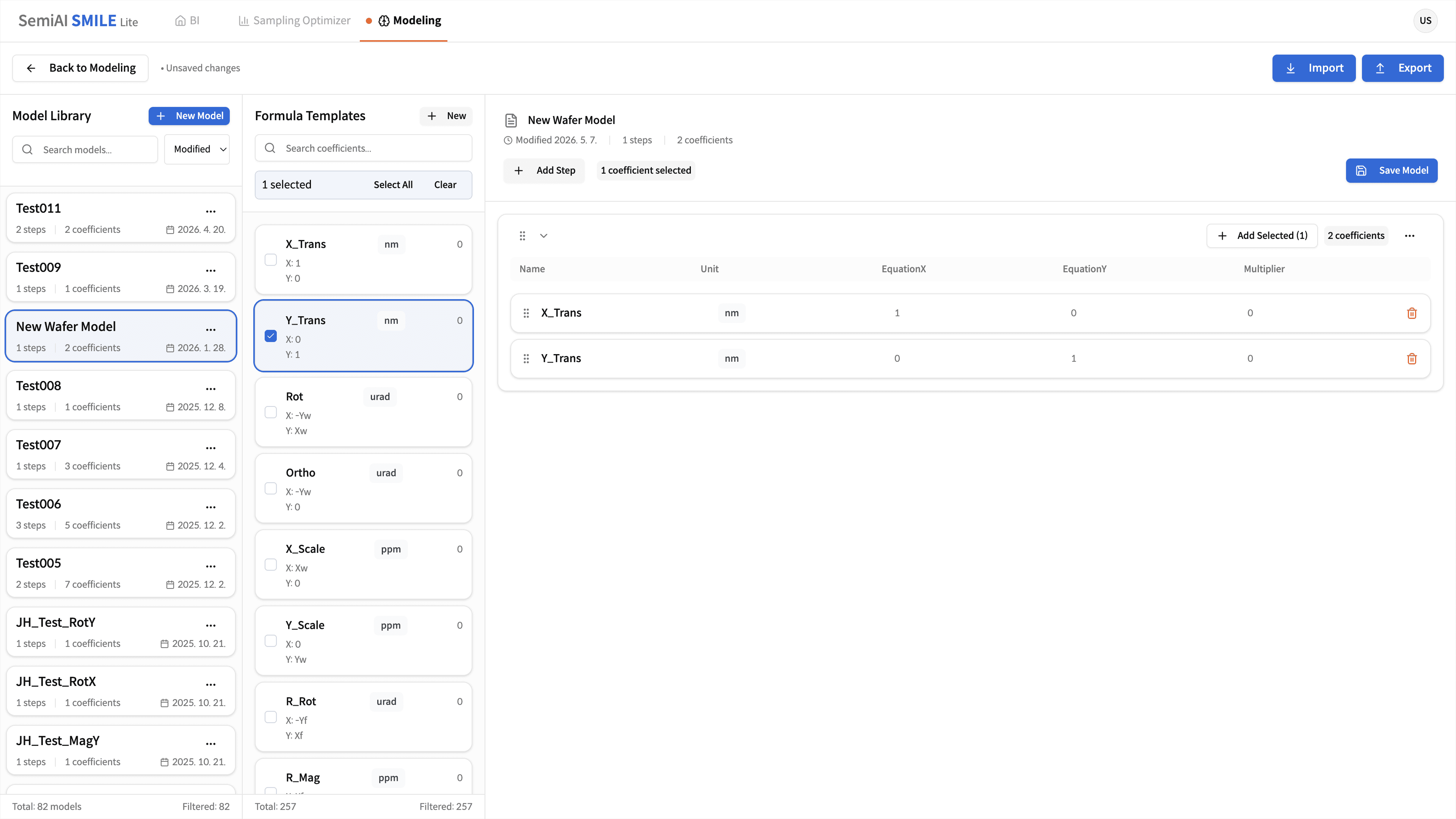
Modeling — Multi-stage overlay correction
- Decompose into Inter-field (wafer-coord) · Intra-field (shot-coord) · CPE (per-exposure residual) and correct only the systematic component
- Recipe Editor composes Model > Step > Coefficient units; Modeling Simulation validates against real data
- Extracted corrections feed back to the lithography alignment recipe, closing the correction loop
Tell us the challenge — we'll scope it with you.
You don't need detailed data ready. We'll get back to you shortly with a tailored deployment scenario.